AI mockup generator for product UI
AI Mockup Generator for Product Ideas, Screens, and User Flows
An AI mockup generator turns a product idea or brief into reviewable interface screens. Agimon focuses on product UI mockups: interactive HTML screens saved inside a product-spec workflow and linked into navigation flows.
Use it when you need to see how an app, website, dashboard, onboarding flow, or product feature should work before development starts.
Free plan available. Reviewed .
Which Kind of Mockup Generator Do You Need?
The phrase "mockup generator" covers several jobs. The right tool depends on what you are trying to review.
Product-Image Mockup Generators
For ecommerce scenes, apparel, packaging, device frames, and print-on-demand previews when you need a realistic product image.
AI Wireframe Generators
For early layout ideas, low-fidelity screens, and quick structure when the layout is the main artifact.
Product UI Mockup Generators
For app and website screens that need to preserve product decisions, user paths, and handoff context. This is where Agimon fits.
Bottom line: Agimon is not a product-photo mockup generator. It is for teams that need to review the software experience: screens, flow, context, and handoff.
Why Product Mockups Lose Context Before Development
The hard part is not creating a screen. The hard part is keeping the reason behind that screen visible when the work moves from idea to PRD, design review, and engineering handoff.
A screenshot does not explain the decision
Stakeholders can see the shape of the interface, but not the user story, edge case, or scope decision behind it.
A design file can drift from the PRD
When requirements and mockups live in separate tools, teams spend review time reconciling what changed instead of deciding what to ship.
A chat thread is hard to hand off
Generic AI tools can produce screen ideas, but the useful context can stay buried in prompts and replies.
A single screen misses the journey
Teams need to know what happens next: where a button leads, what state follows, and which paths still need review.
What Agimon Creates From a Product Brief
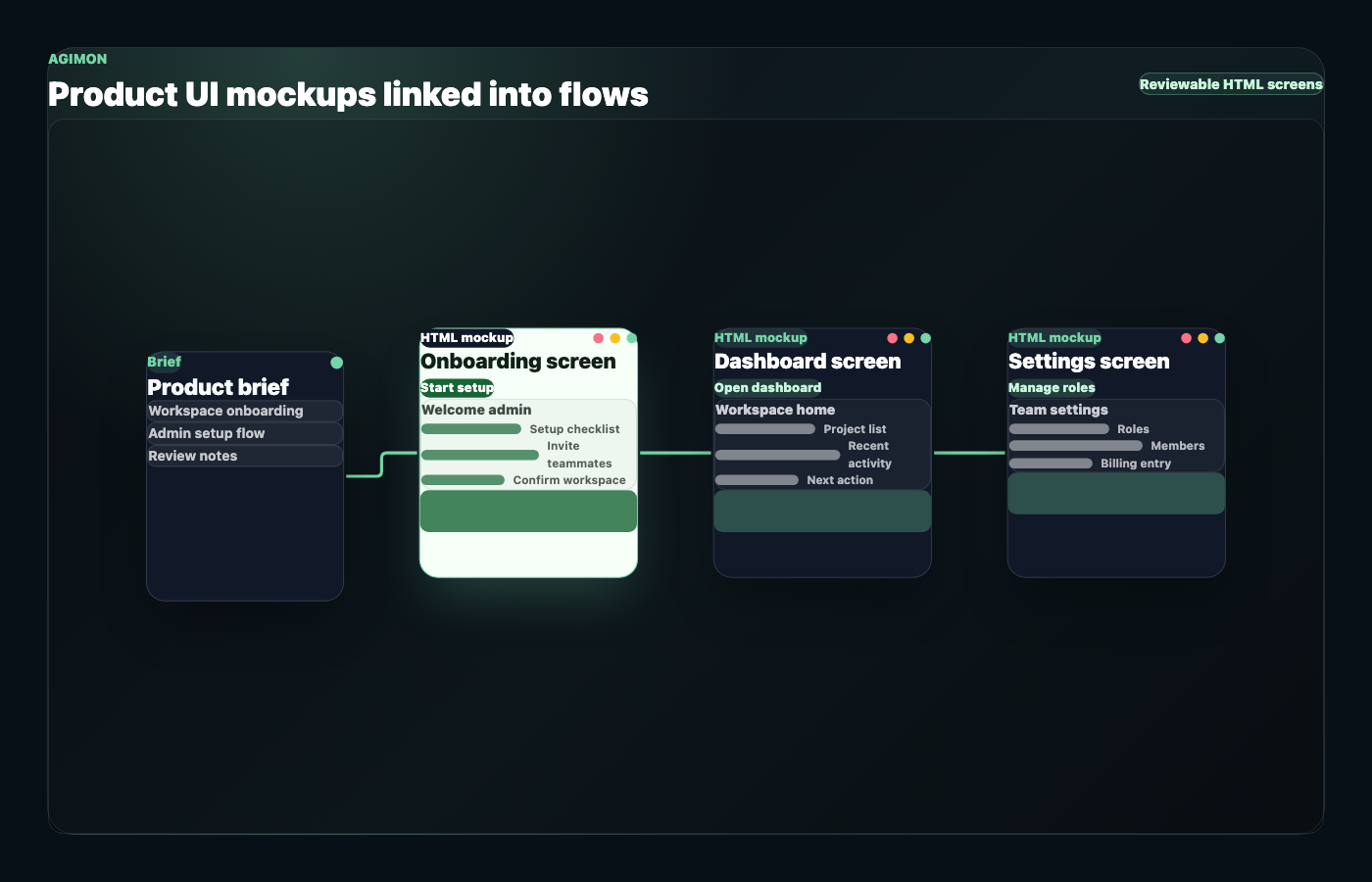
Agimon turns product context into HTML-based mockups that belong to a project. Each screen can carry visual content and canvas placement, and screens can be connected with labeled links that represent user navigation.
See how mockups work in AgimonInteractive HTML Screens
Create reviewable screen mockups for app, website, dashboard, onboarding, settings, or feature flows.
Canvas Placement
Keep screens arranged visually so reviewers can understand how the product experience is organized.
Labeled Navigation Links
Connect one mockup to another with labels that explain the user action or flow.
Product-Spec Context
Keep mockups close to the PRD, strategy, and developer handoff instead of treating design as a separate artifact.
Example AI Mockup Output
This static example shows the kind of structure a product UI mockup workflow can produce. It is not presented as a live generated result.
| Mockup | HTML Content Focus | Canvas Role | Link Labels | Review Notes |
|---|---|---|---|---|
| Welcome screen | Headline, setup checklist, primary action | Entry screen | Start setup | Confirm the first action is obvious |
| Invite teammates | Email invite field, pending invite list, skip option | Setup branch | Send invite, Skip for now | Confirm admin controls and edge cases |
| Workspace dashboard | Project list, activity, next action | Main destination | Open project, Invite more teammates | Confirm the dashboard supports the product goal |
| Settings screen | Team details, role controls, billing entry point | Supporting screen | Manage roles | Confirm permissions and scope |
The value is not the table itself. The value is that screens, labels, and review notes stay connected to the product decision the team is trying to make.
From Product Idea to Reviewable Mockups
Mockups work best when they are not isolated from the product plan. Agimon keeps them in the same project context as the PRD, strategy, and developer handoff.
Pair mockups with an AI-generated PRDDiscovery
Capture the problem, audience, constraints, and product direction.
Definition
Turn the idea into requirements, scope, and product strategy.
Design
Generate HTML mockups and connect screens into navigation flows.
Developer Handoff
Use the PRD, mockups, and flow context to explain what developers need to build.
Where Agimon Fits Compared With Other Mockup Tools
Different mockup tools are built for different jobs. Use Agimon when the mockup needs to stay connected to product decisions and user flow.
| Alternative | Good For | Where Teams Still Do Manual Work |
|---|---|---|
| Product-image mockup generator | Apparel, packaging, device frames, ecommerce product scenes. | Turning a software idea into screens and user flows. |
| Generic AI chat | Fast visual ideas or UI snippets from a prompt. | Saving screens to a project, linking flows, and preserving handoff context. |
| Standalone wireframe tool | Early layouts and visual iteration. | Keeping PRD, strategy, mockups, and handoff aligned. |
| Agimon | Product UI mockups inside a product-spec workflow. | Human review, product judgment, and final design decisions. |
Bottom line: Use Agimon when your team needs to understand the product experience before development, not when you need a photorealistic product image.
Keep Building From the Mockup
Mockups are strongest when the surrounding product decisions stay close. Use these pages to move from idea to requirements, visual review, launch context, and handoff.
Mockups & Wireframes
Learn how Agimon generates interactive HTML mockups and user flow diagrams.
Read moreAI PRD Generator
Pair mockups with structured requirements, acceptance criteria, and scope.
Read morePRD Generation
See how product requirements are structured before design.
Read moreDeveloper Handoff
Connect product decisions to implementation context.
Read moreGTM Strategy
Keep launch context close to the product plan.
Read moreAI Mockup Generator FAQ
What is an AI mockup generator?
An AI mockup generator turns a prompt, product idea, brief, or requirements into a visual mockup. Some tools generate ecommerce product images. Others generate wireframes or product UI screens. Agimon focuses on product UI mockups for apps, websites, and software flows.
Is Agimon a product-photo mockup generator?
No. Agimon is not for apparel, packaging, print-on-demand scenes, or photorealistic product images. It is for software product mockups: HTML screens, product flows, and review context.
What does Agimon generate for mockups?
Agimon can create HTML-based visual mockups for screens or components. Mockups belong to a project, include HTML content, and can include canvas position metadata.
Can Agimon create clickable mockups?
Agimon supports links between mockups. Those links represent navigation from one screen to another with a label for the user action or flow.
How is an AI mockup generator different from an AI wireframe generator?
Wireframes usually focus on layout and structure. A product UI mockup can go further by showing screen content, user flow, and how the mockup connects to product requirements and handoff.
Do I need design skills to use Agimon for mockups?
Agimon is designed to help product teams start from product context, not a blank design canvas. Human review still matters, especially for final visual design, accessibility, and production implementation.
Does Agimon export mockups to Figma or production code?
No. Agimon supports HTML mockups and developer handoff context. It does not claim Figma export, code export, downloadable ZIPs, or production-ready UI code.
Can I use Agimon through an AI assistant?
Yes. When an MCP client is authorized through OAuth, an AI assistant can help create product specs, generate HTML mockups, save them, and link mockups into navigation flows.
Is there a free plan?
Yes. Agimon has a free plan available. Use the pricing section for current plan details.
Turn the Product Idea Into Screens Your Team Can Review
Start with the product brief, generate the first UI mockups, and keep the screens connected to the decisions your team needs for review and handoff.